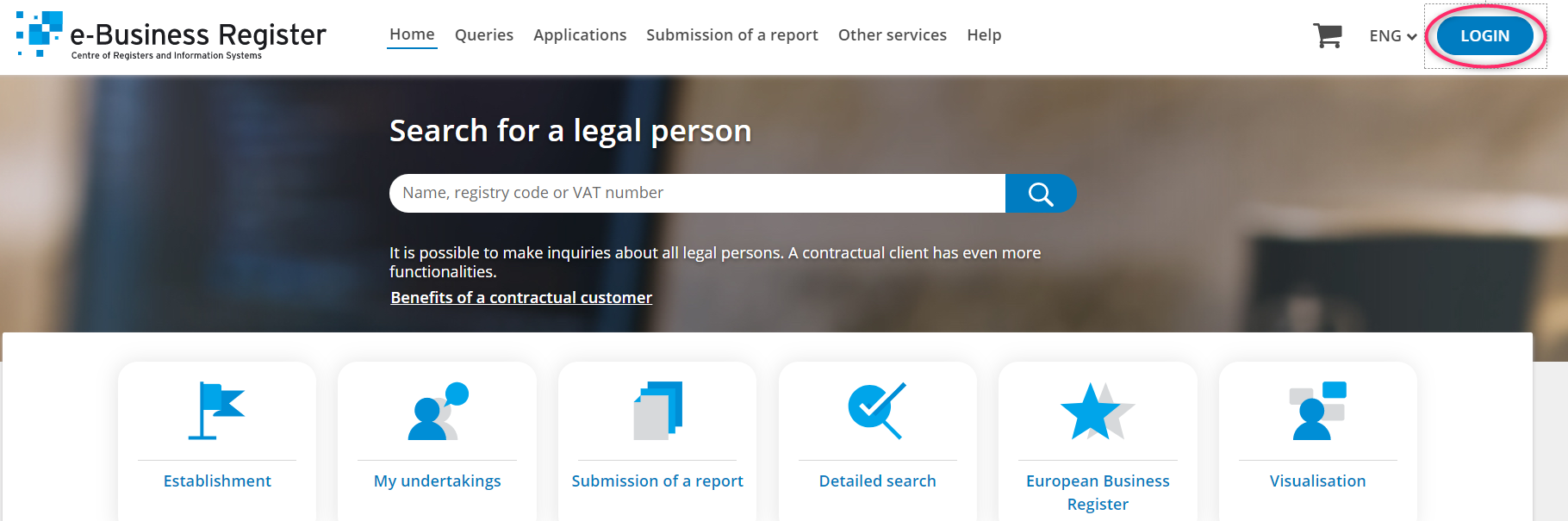
Step 1. Open the commercial registry website https://ariregister.rik.ee/eng and click on LOGIN.
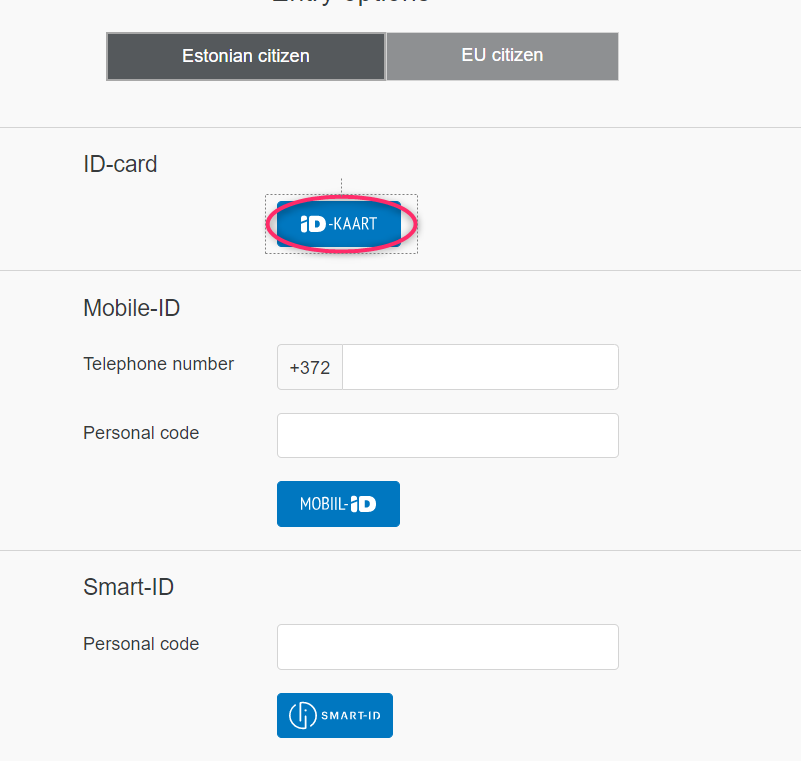
Step 2. Select the appropriate authentication method. To log in with e-Residency card, click ID-KAART. Then select a certificate and enter a PIN1, then tap OK.
Step 3. Please, select English if you do not speak Estonian.

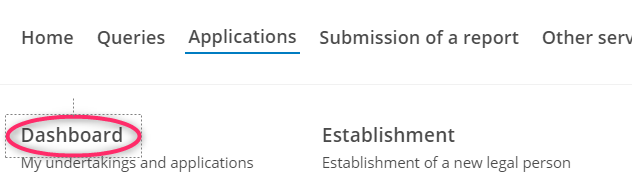
Step 4. In the top menu, click the Applications button.

Step 5. In the pull-down menu, click the Dashboard button.
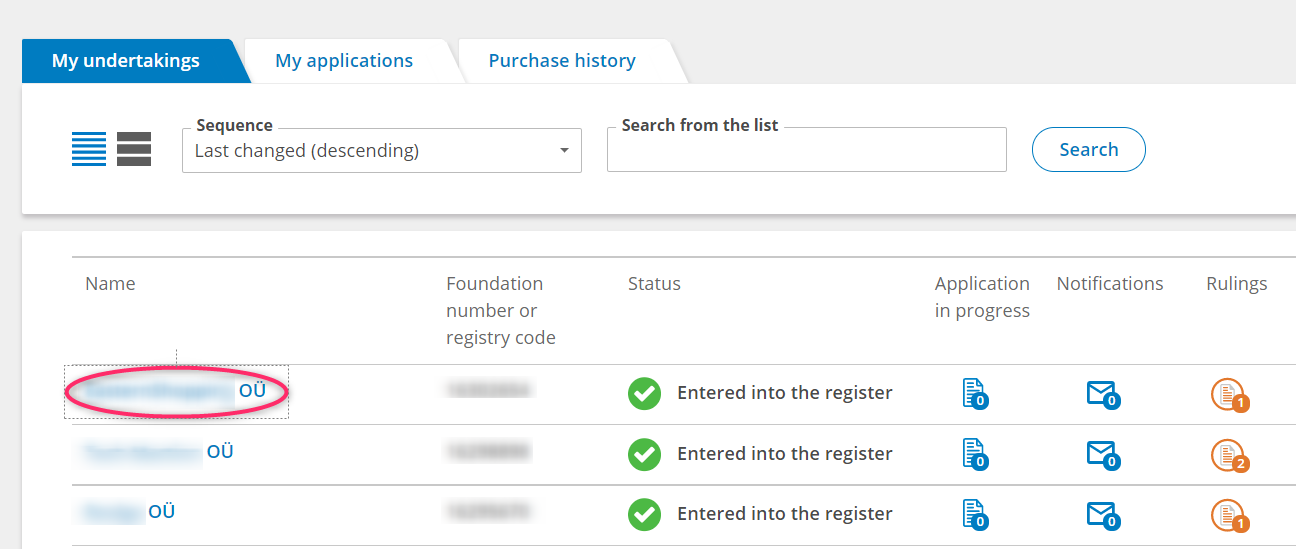
Step 6. You will see a list of companies connected to your personal code in front of you. Select the correct company by clicking on its name.
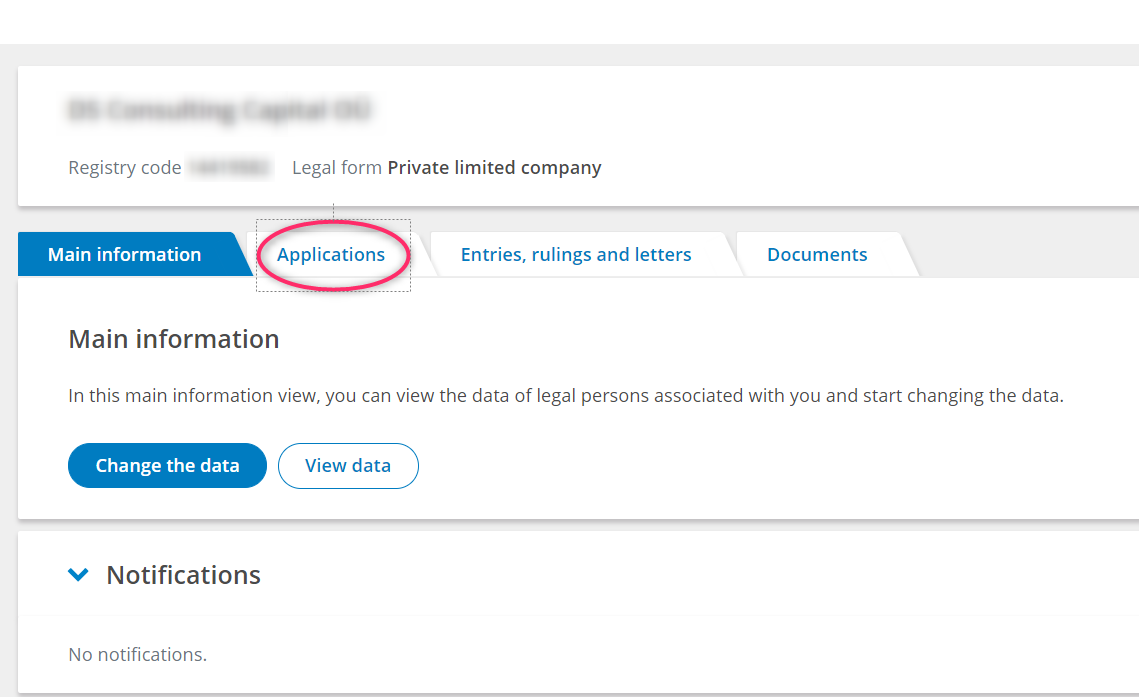
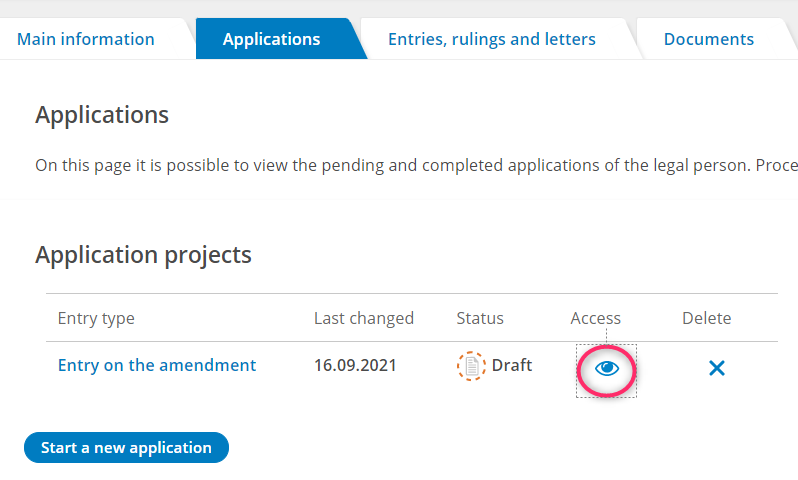
Step 7. Click on the Applications button.
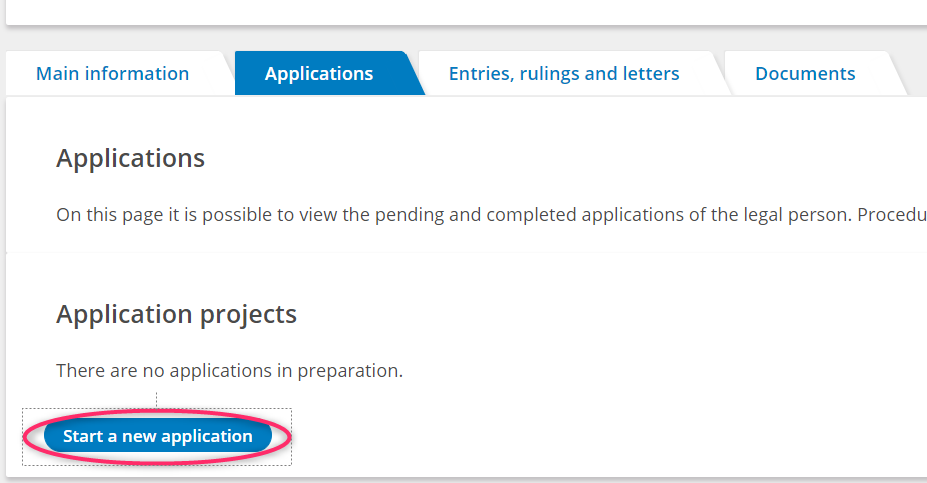
Step 8. Click on the Start a new application button.
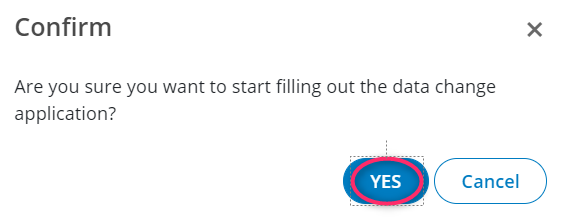
Step 9. Click on the YES button.
Step 10. Repeat steps from 4 to 7 inclusive.
Step 11. Click the eye icon under the Access column.
Step 12. Enter the name and personal code of the specialist you want to add and click Add.
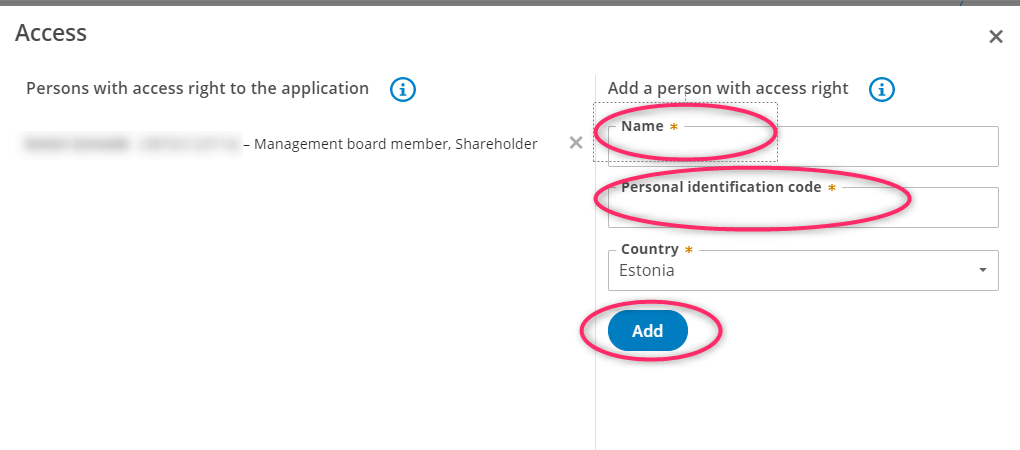
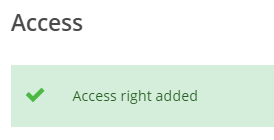
If you did everything correctly, you will see the following: