How to change the legal address of a company in Estonia?

Step-by-step AccRes guide: How to change the legal address of a company in Estonia. Part of the Company management help section for Estonian companies.

In this article, we will take a detailed look at how to change the legal address of a company in Estonia.

Step 1. Open the website of the Estonian Commercial Register:

 https://ariregister.rik.ee/eng

Step 2.  Click the LOGIN button in the upper right menu.

Screenshot 1 for the article "How to change the legal address of a company in Estonia?"

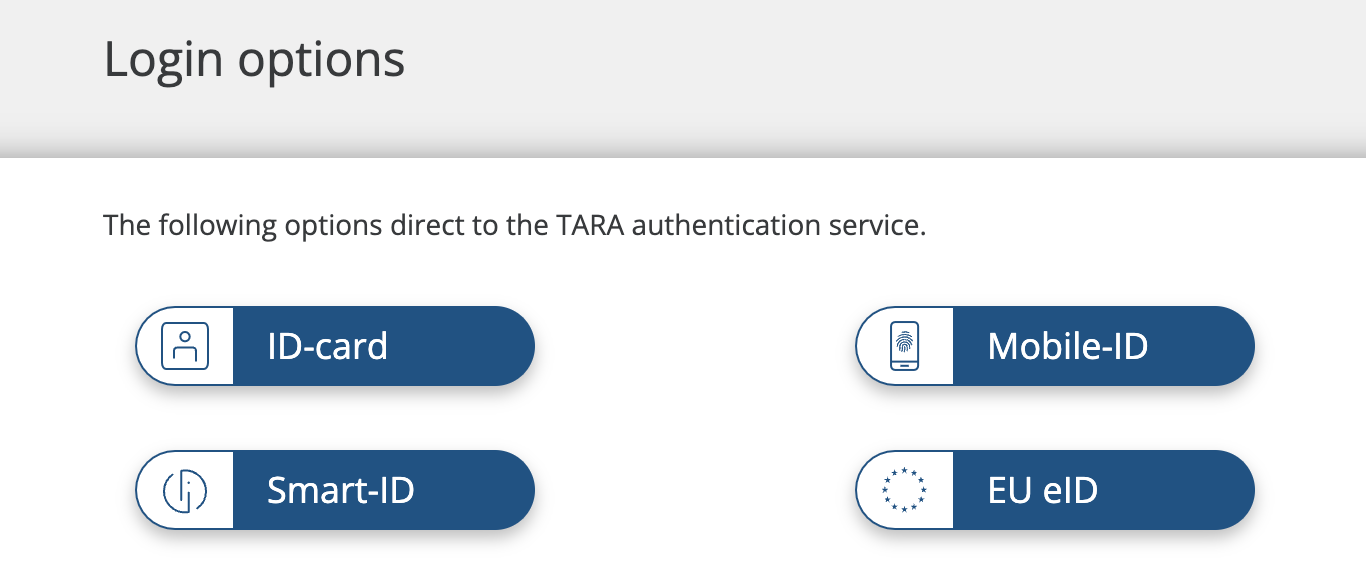
Step 3. Choose a convenient authentication method and log in.
Screenshot 2 for the article "How to change the legal address of a company in Estonia?"

Step 4. In the top menu, click on the “My Dashboard” button.

Screenshot 3 for the article "How to change the legal address of a company in Estonia?"

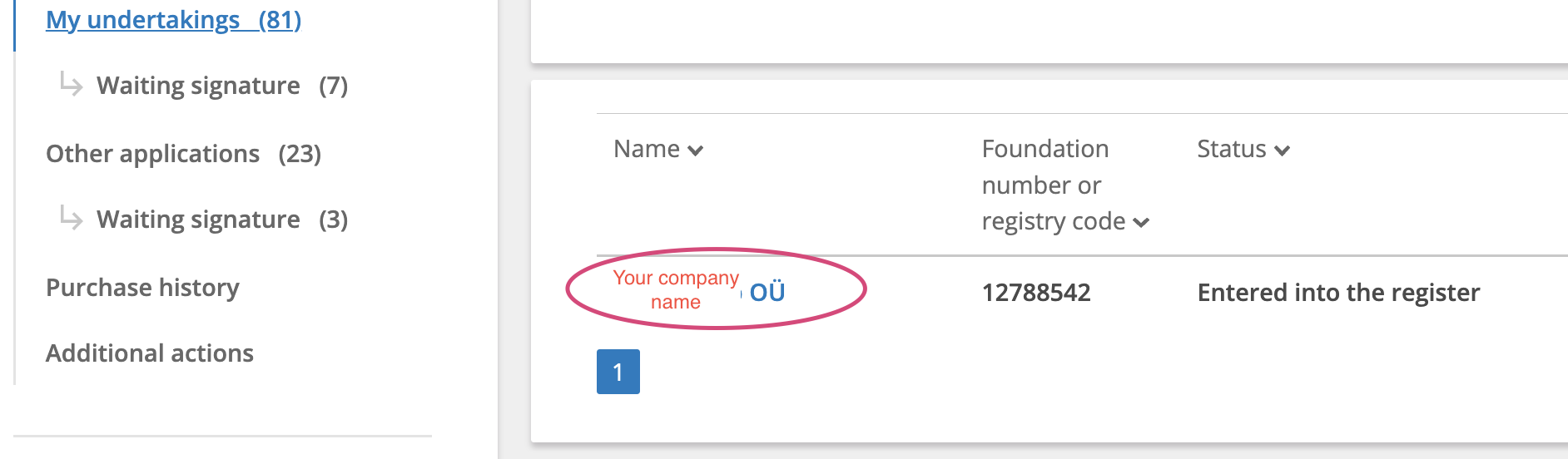
Step 5. Click on the name of your company.
Screenshot 4 for the article "How to change the legal address of a company in Estonia?"

Step 6. Click on the “Change the data” button.​

Screenshot 5 for the article "How to change the legal address of a company in Estonia?"

Step 7. Confirm that you want to start making changes by clicking the “YES” button.

Screenshot 6 for the article "How to change the legal address of a company in Estonia?"

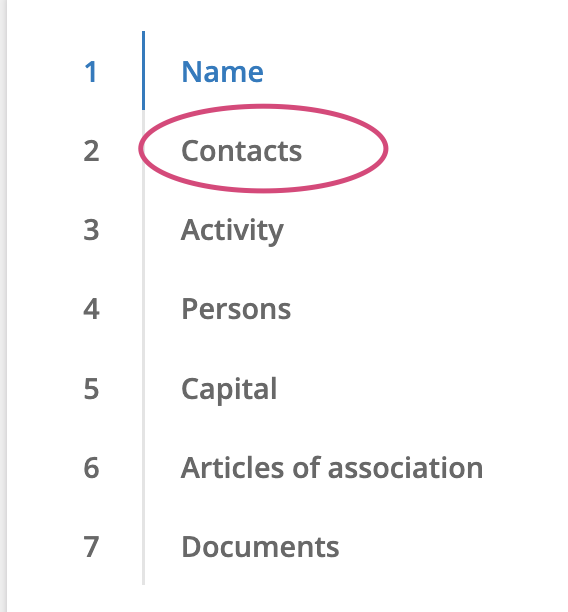
Step 8. In the left menu, click on the “Contacts” section.
Screenshot 7 for the article "How to change the legal address of a company in Estonia?"

Step 9. Click the “Change” button under your company’s current address.
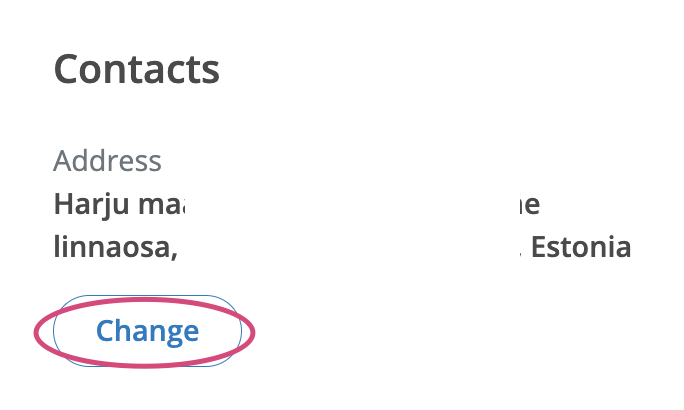
Screenshot 8 for the article "How to change the legal address of a company in Estonia?"

Step 10. Enter your new legal address.
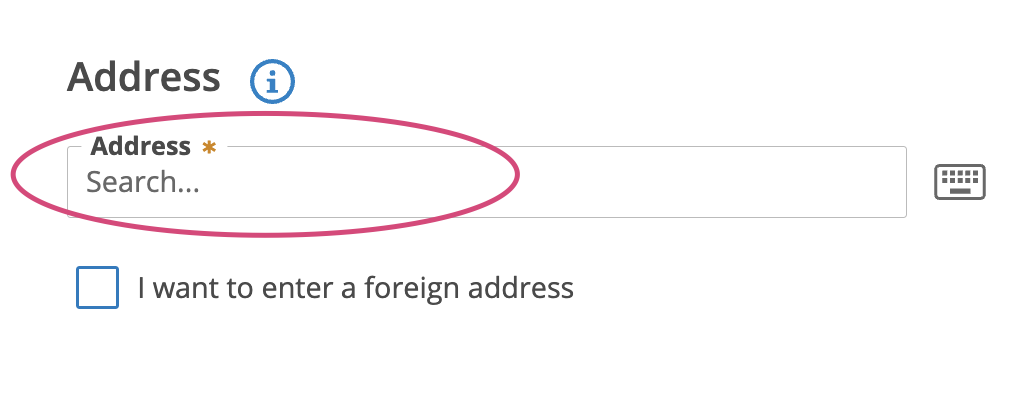
Screenshot 9 for the article "How to change the legal address of a company in Estonia?"

Step 11. Click the “SAVE” button.

Screenshot 10 for the article "How to change the legal address of a company in Estonia?"

Step 12. Go to the “Confirmation of the application” section.
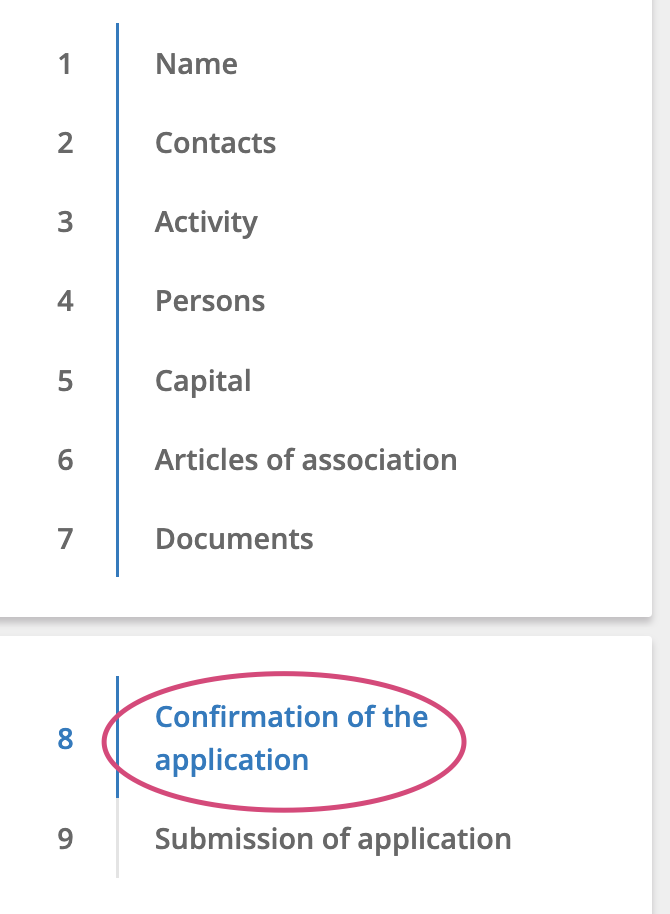
Screenshot 11 for the article "How to change the legal address of a company in Estonia?"

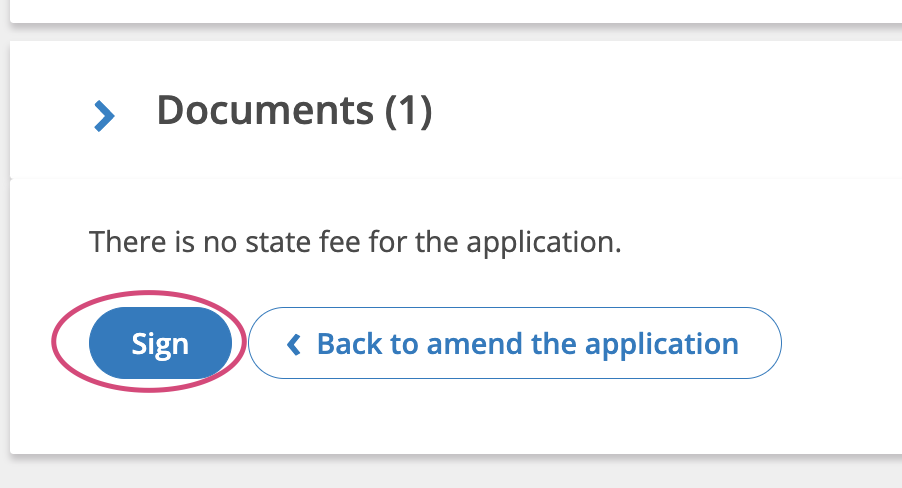
Step 13. Click the “Sign” button.

Screenshot 12 for the article "How to change the legal address of a company in Estonia?"

Step 14. Ensure that the status “Signed” appears next to your name.

Screenshot 13 for the article "How to change the legal address of a company in Estonia?"

Step 15. Click the “Next” button. If your company’s region is not changing, the updates can be made without a state fee.

Example

If your previous address was in Tallinn and the new address is also in Tallinn, there will be no need to pay the state fee.
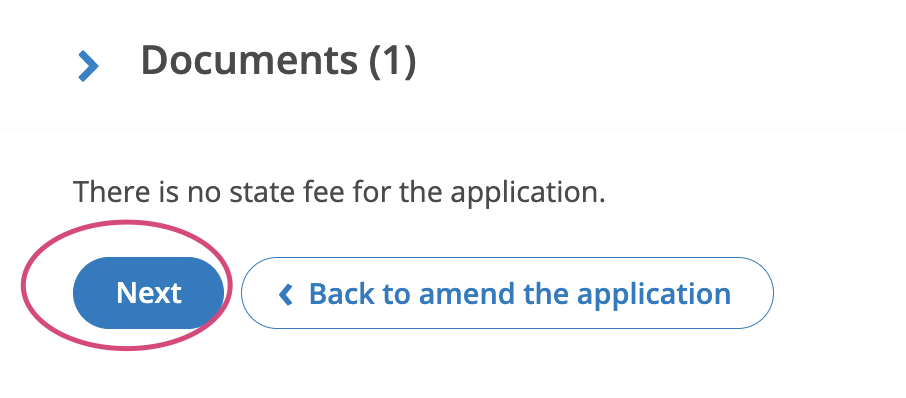
Screenshot 14 for the article "How to change the legal address of a company in Estonia?"

Step 16. Click the “Submit application” button. After this, the application will be sent to the register. The changes will typically take effect within 5 business days or sooner.
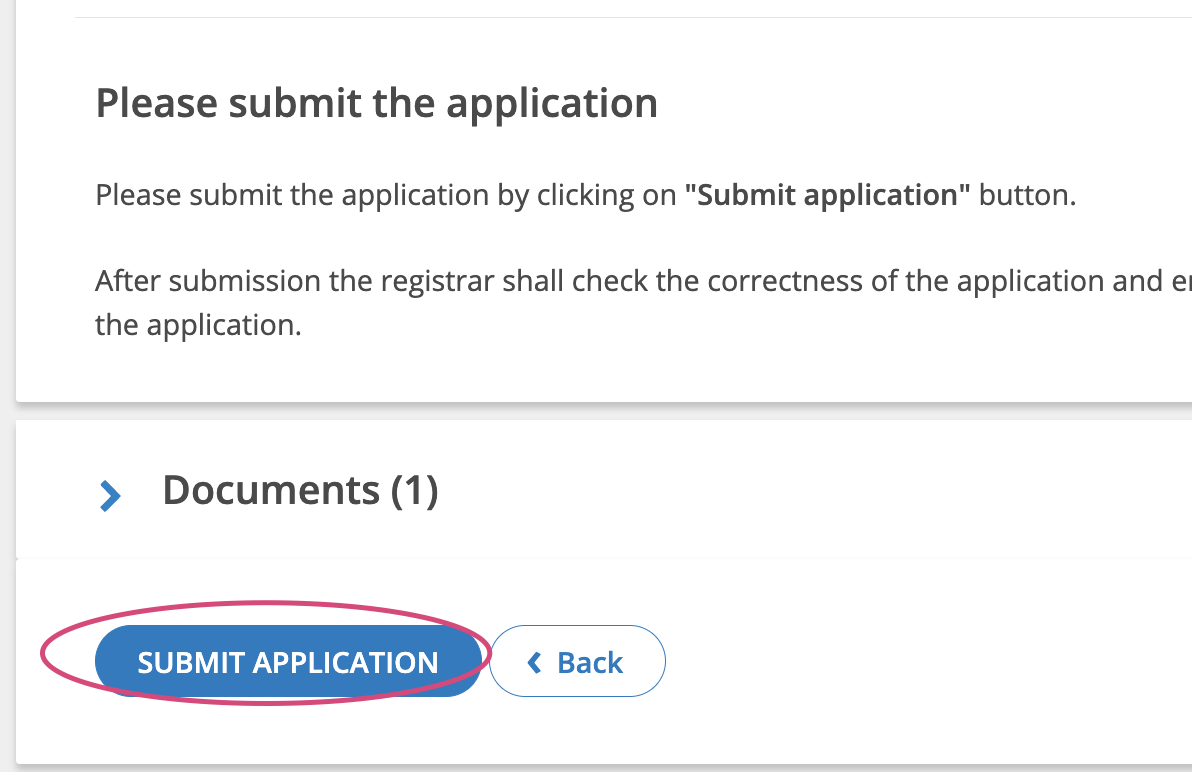
Screenshot 15 for the article "How to change the legal address of a company in Estonia?"