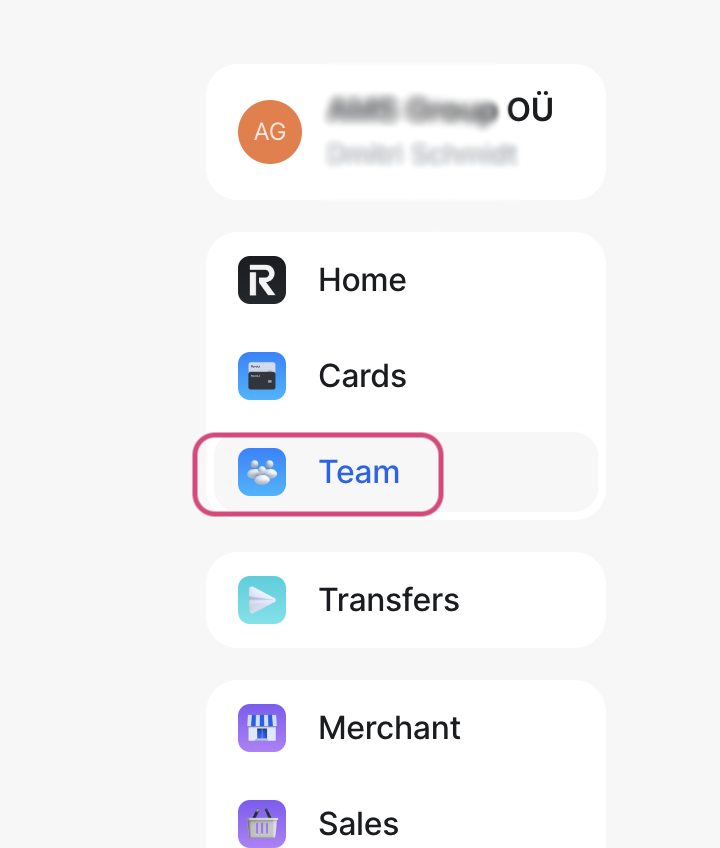
Step 1. In the Revolut Business menu, select Team.
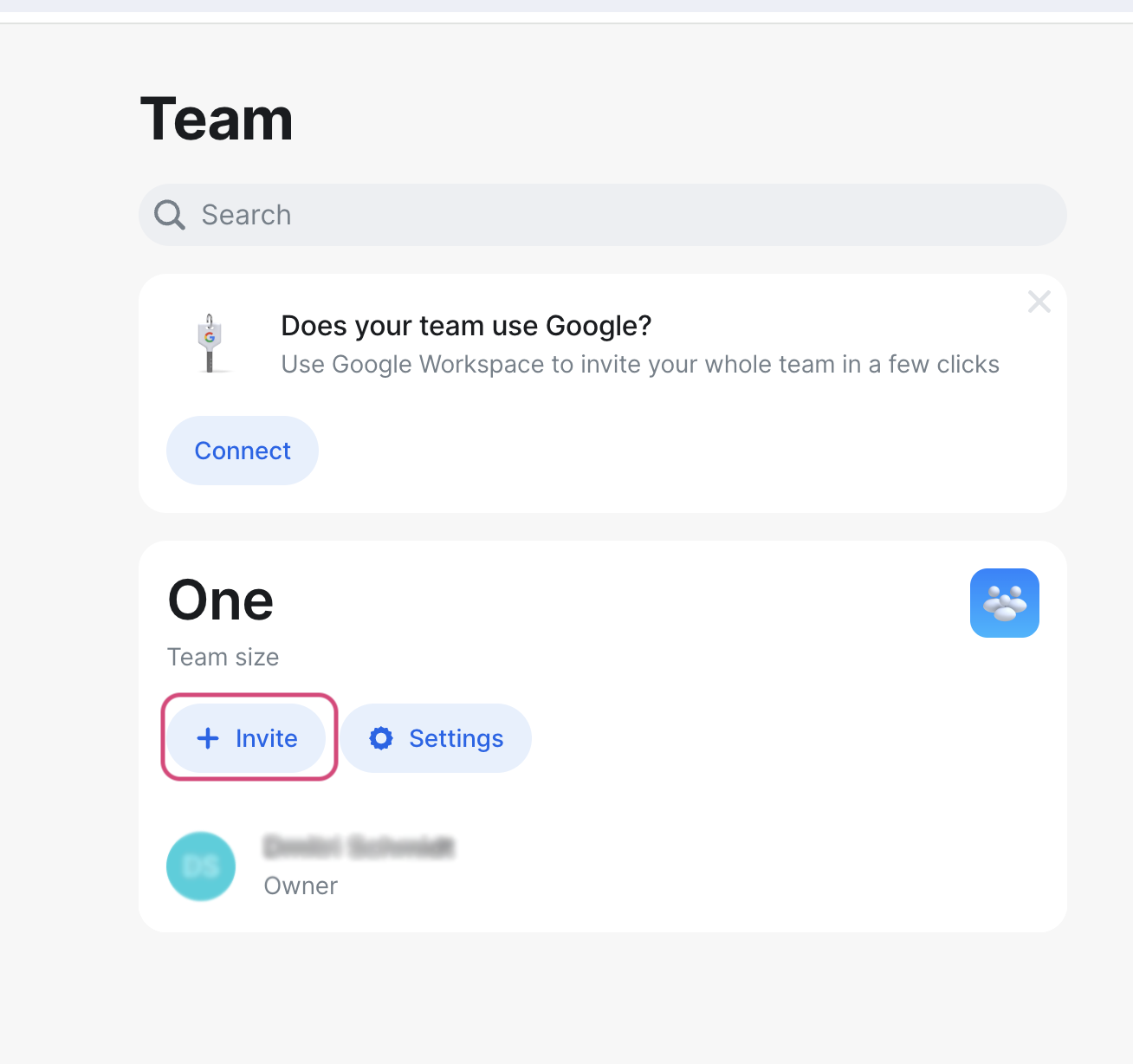
Step 2. Click + Invite.
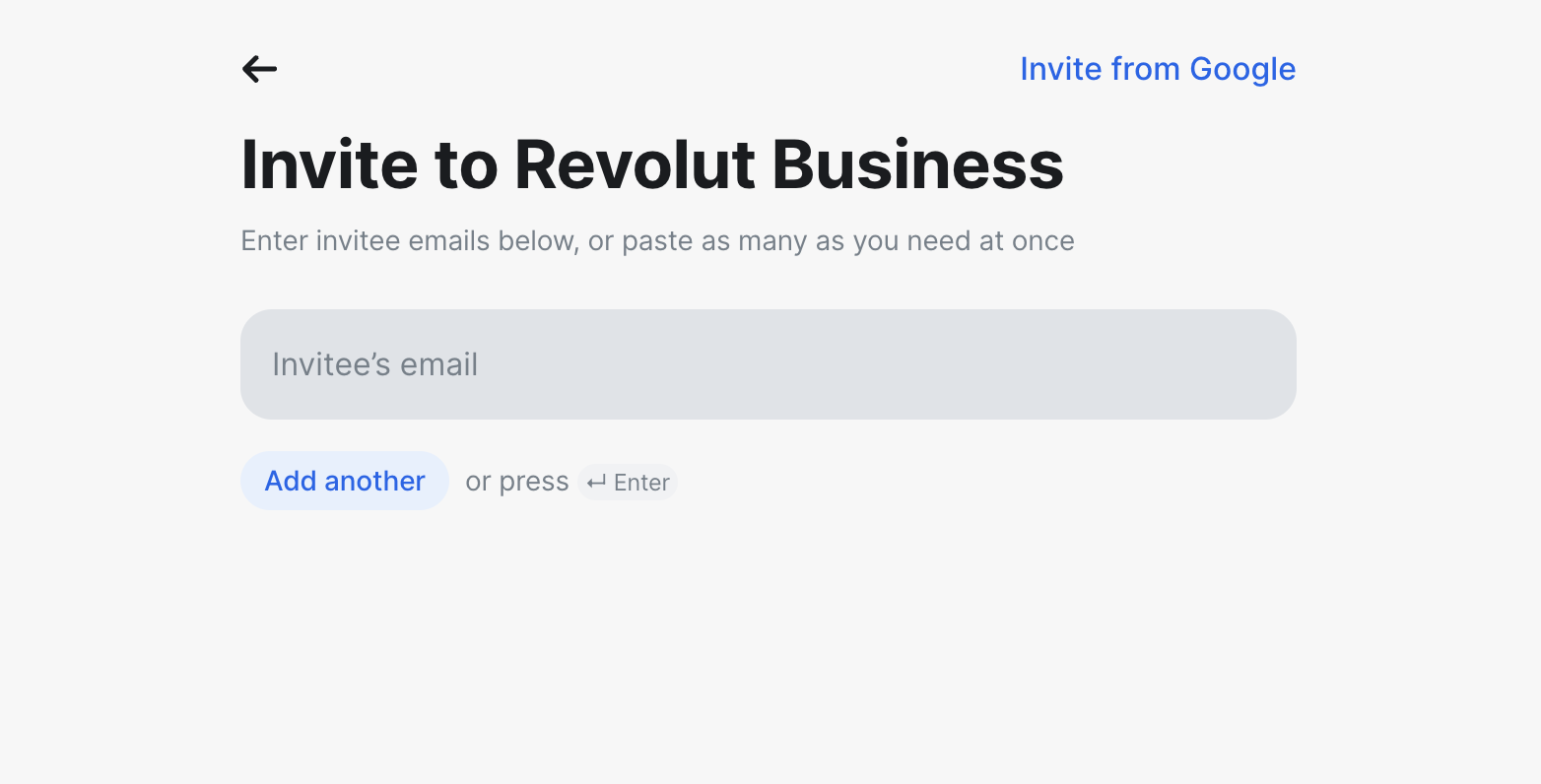
Step 3. Enter our email address: info@amsgroup.ee.
Step 4. Click Continue.

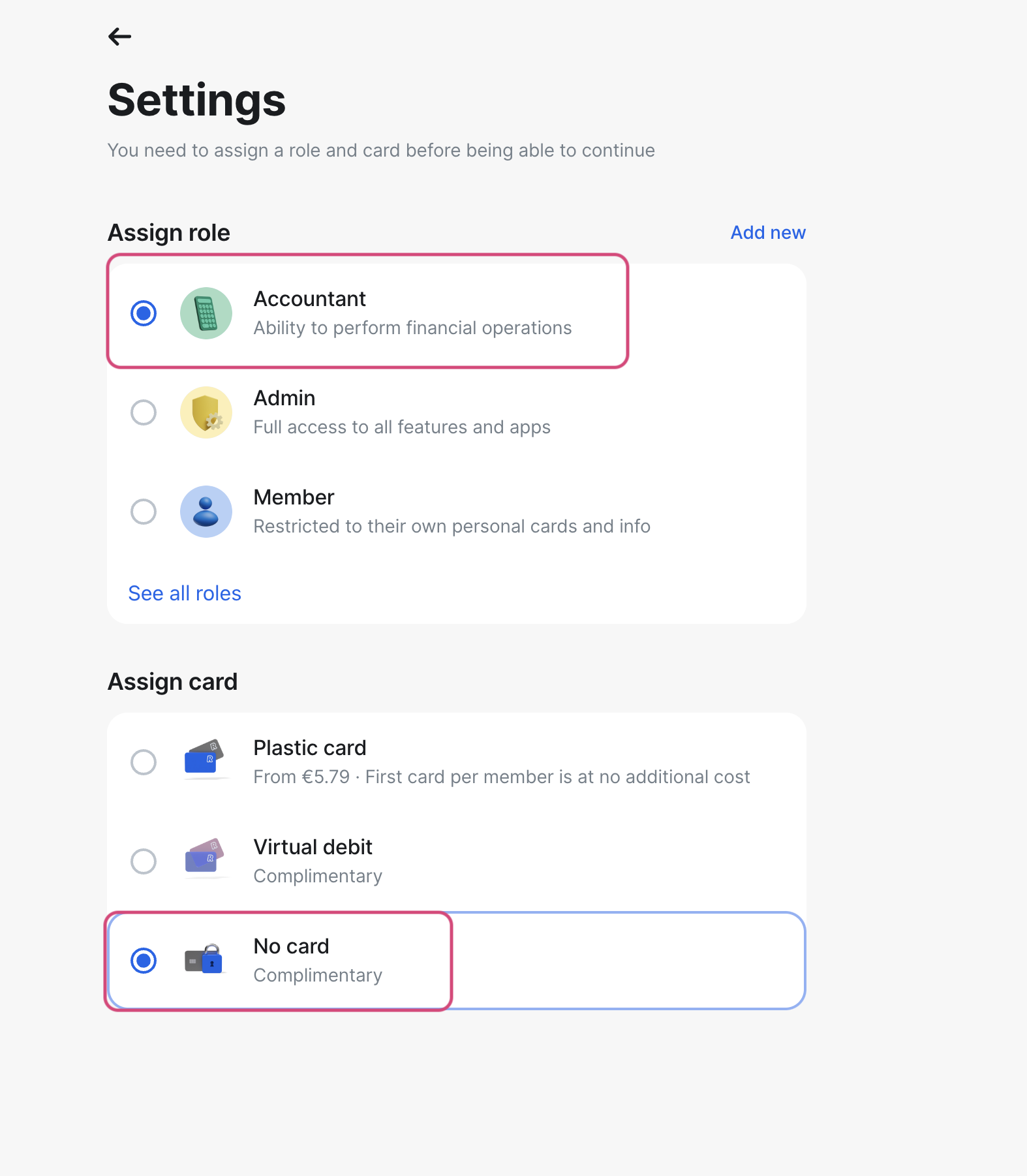
Step 5. Select Assign role - Accountant, and Assign card - No card.
Step 6. Click Continue.

Step-by-step AccRes guide: How to give an accountant access to Revolut. Part of the Banks help section for Estonian companies.
Step 1. In the Revolut Business menu, select Team.
Step 2. Click + Invite.
Step 3. Enter our email address: info@amsgroup.ee.
Step 4. Click Continue.
Step 5. Select Assign role - Accountant, and Assign card - No card.
Step 6. Click Continue.