How do I grant an accountant access to view the bank statement in Swedbank?

Step-by-step AccRes guide: How do I grant an accountant access to view the bank statement in Swedbank.

To grant an accountant access to view the bank statement in Swedbank, you'll need to follow the steps outlined below.

Step 1. Open the Swedbank website at https://swedbank.ee/business/d2d/start and select the authentication method you use.
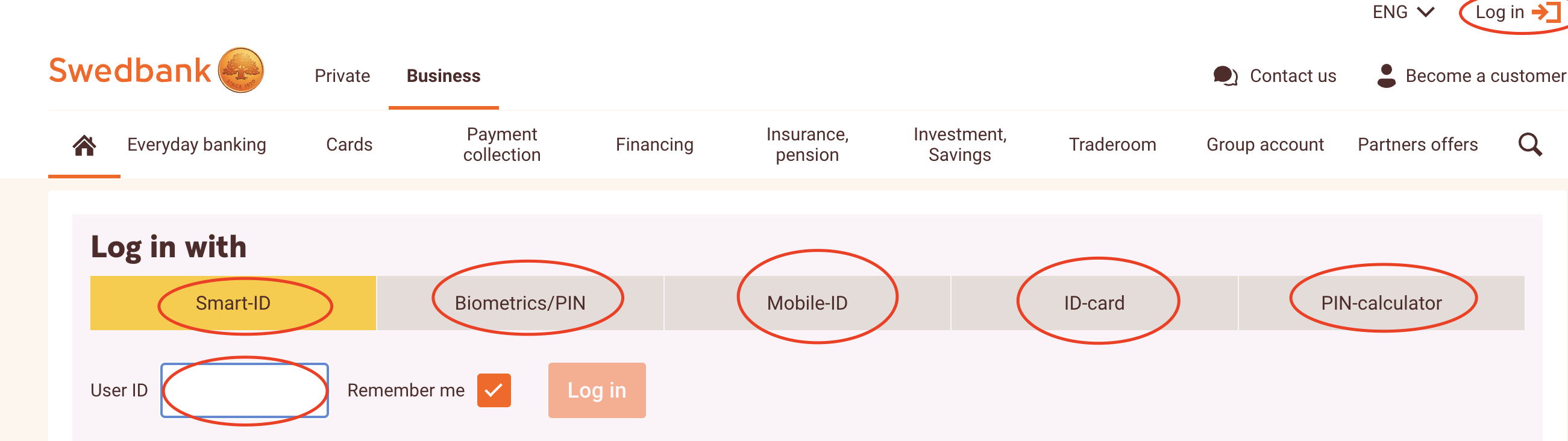
Screenshot 1 for the article "How do I grant an accountant access to view the bank statement in Swedbank?"

Step 2. Make sure your company is selected, not your personal account, and then click on the user icon in the top menu.

Screenshot 2 for the article "How do I grant an accountant access to view the bank statement in Swedbank?"

Step 3. In the dropdown menu, select "User rights and limits.".
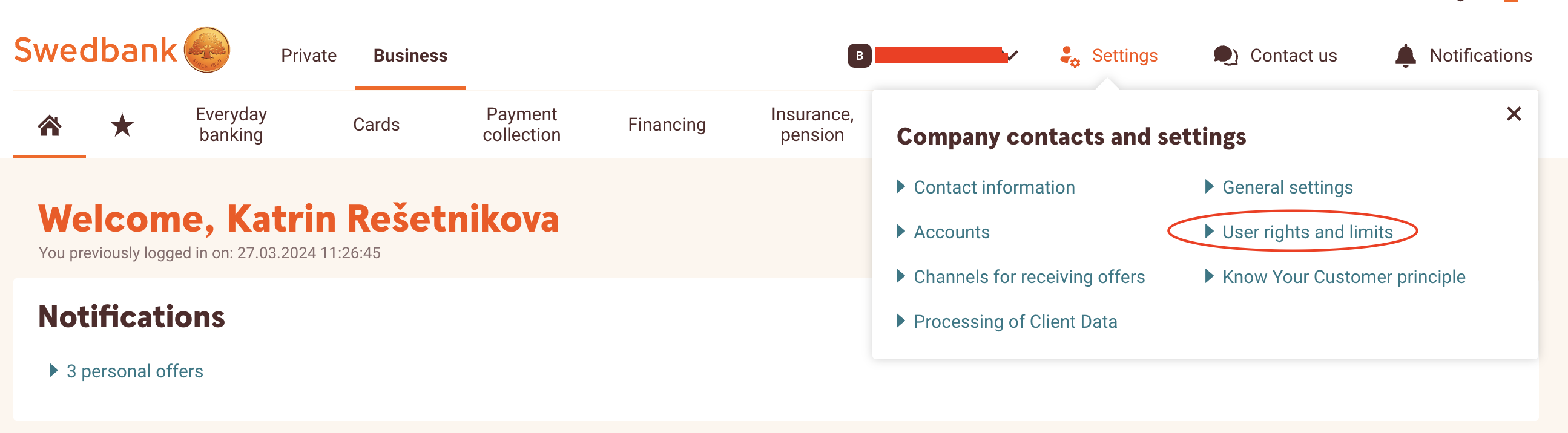
Screenshot 3 for the article "How do I grant an accountant access to view the bank statement in Swedbank?"

Step 4. On the page that appears, in the "Company's agreement of Teleservices" section, click on the "Edit" button

Screenshot 4 for the article "How do I grant an accountant access to view the bank statement in Swedbank?"

Step 5. Click on the "Add New User" button.
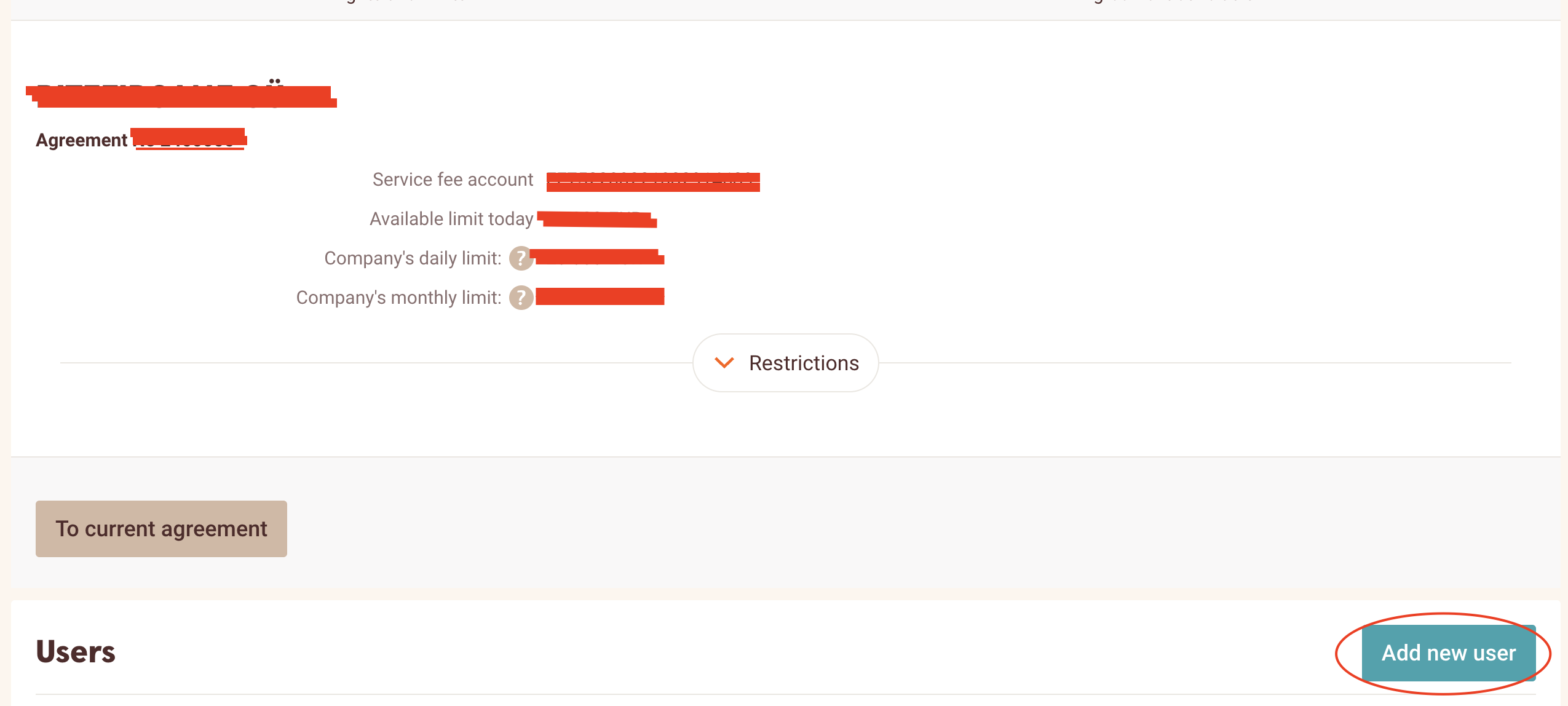
Screenshot 5 for the article "How do I grant an accountant access to view the bank statement in Swedbank?"

Step 6. In the dialog box that appears, enter the accountant's personal code, which they sent to you in an email, their surname, and their bank user number, which will also be included in the accountant's email to you regarding access rights.
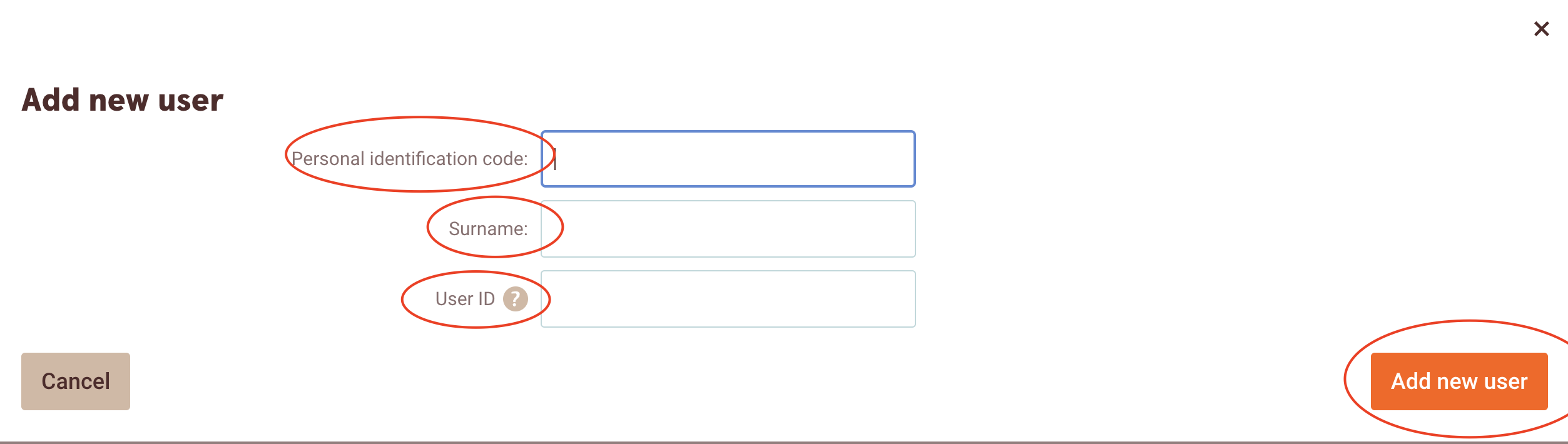
Screenshot 6 for the article "How do I grant an accountant access to view the bank statement in Swedbank?"

Step 7. Expand the list under "User rights."
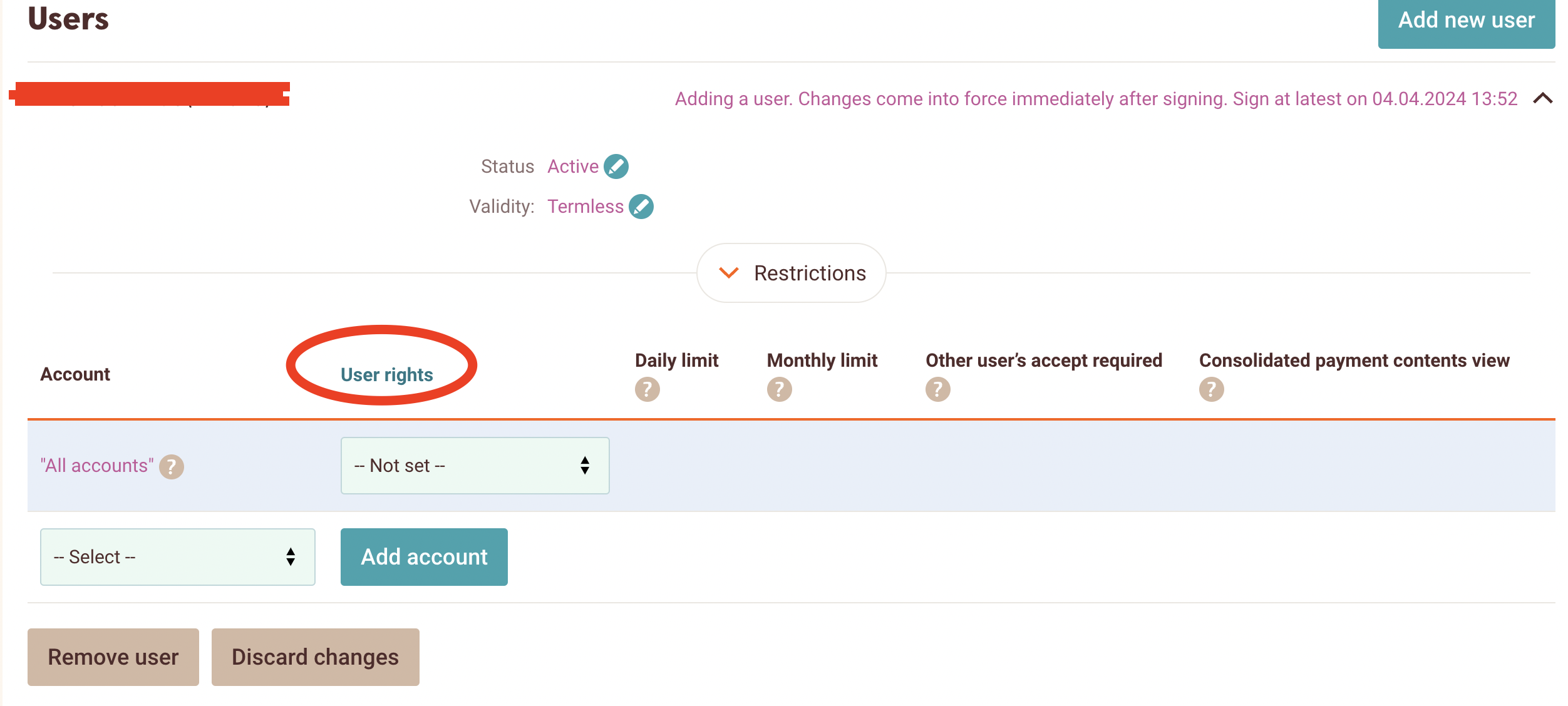
Screenshot 7 for the article "How do I grant an accountant access to view the bank statement in Swedbank?"

Step 8. Select "Information" from this list.
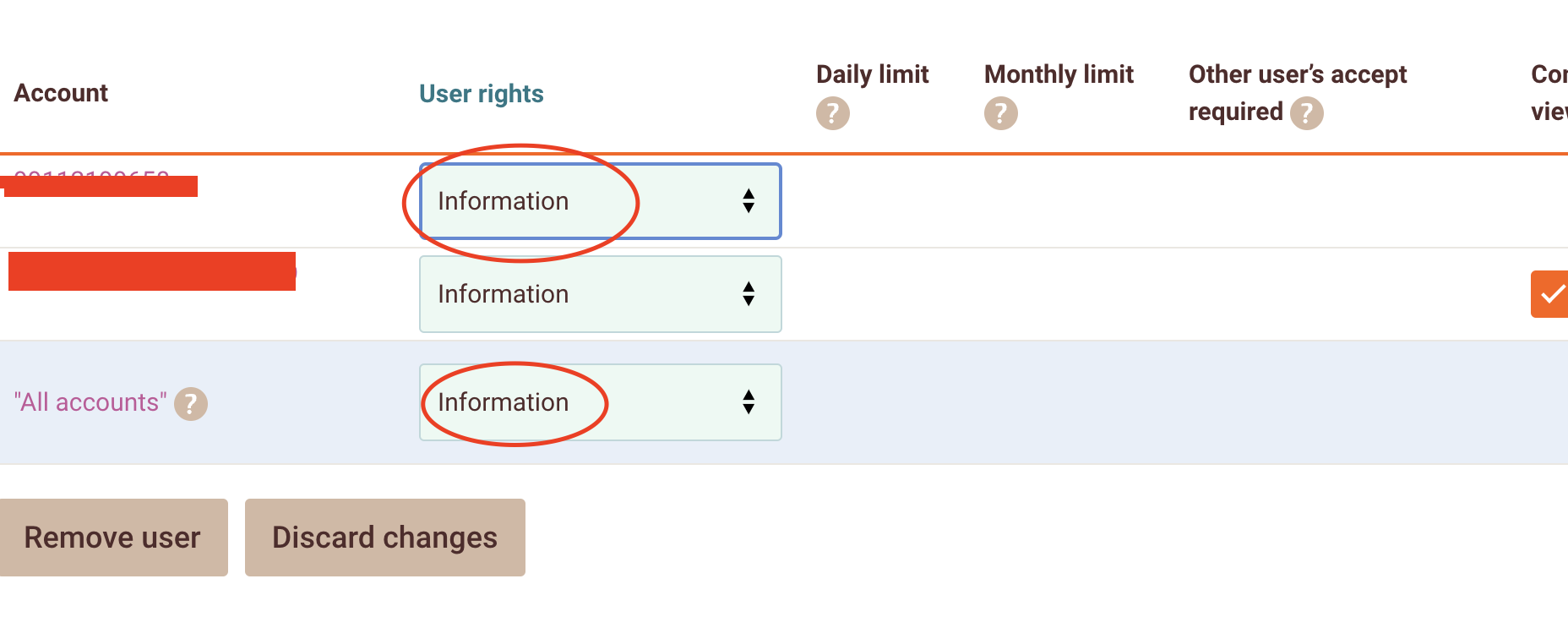
Screenshot 8 for the article "How do I grant an accountant access to view the bank statement in Swedbank?"

Step 9. Above the "Users" section on the same page, click on the "Sign Changes" button.
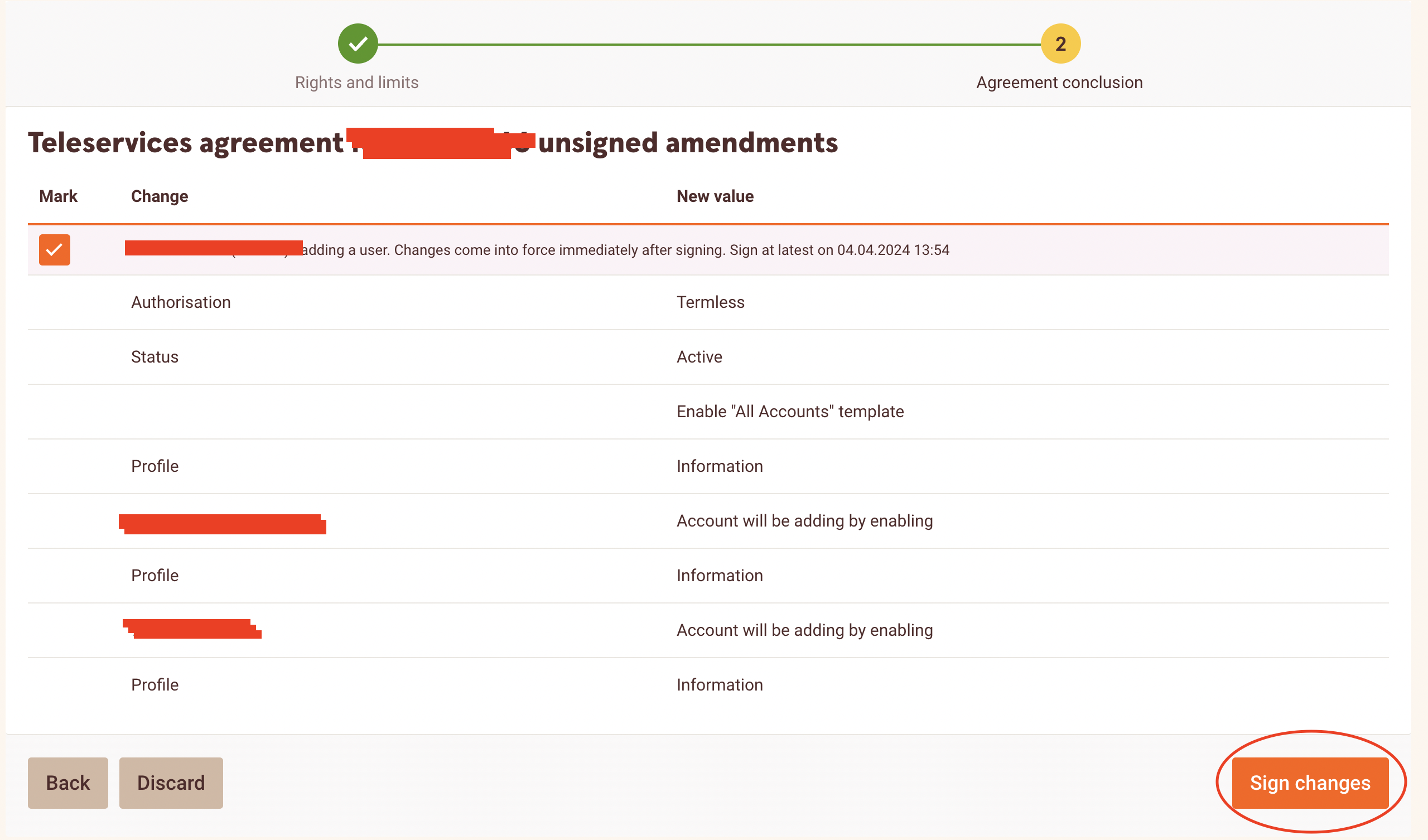
Screenshot 9 for the article "How do I grant an accountant access to view the bank statement in Swedbank?"

Step 10. Check the box next to the statement "I hereby confirm..." and click the "Confirm with..." button.
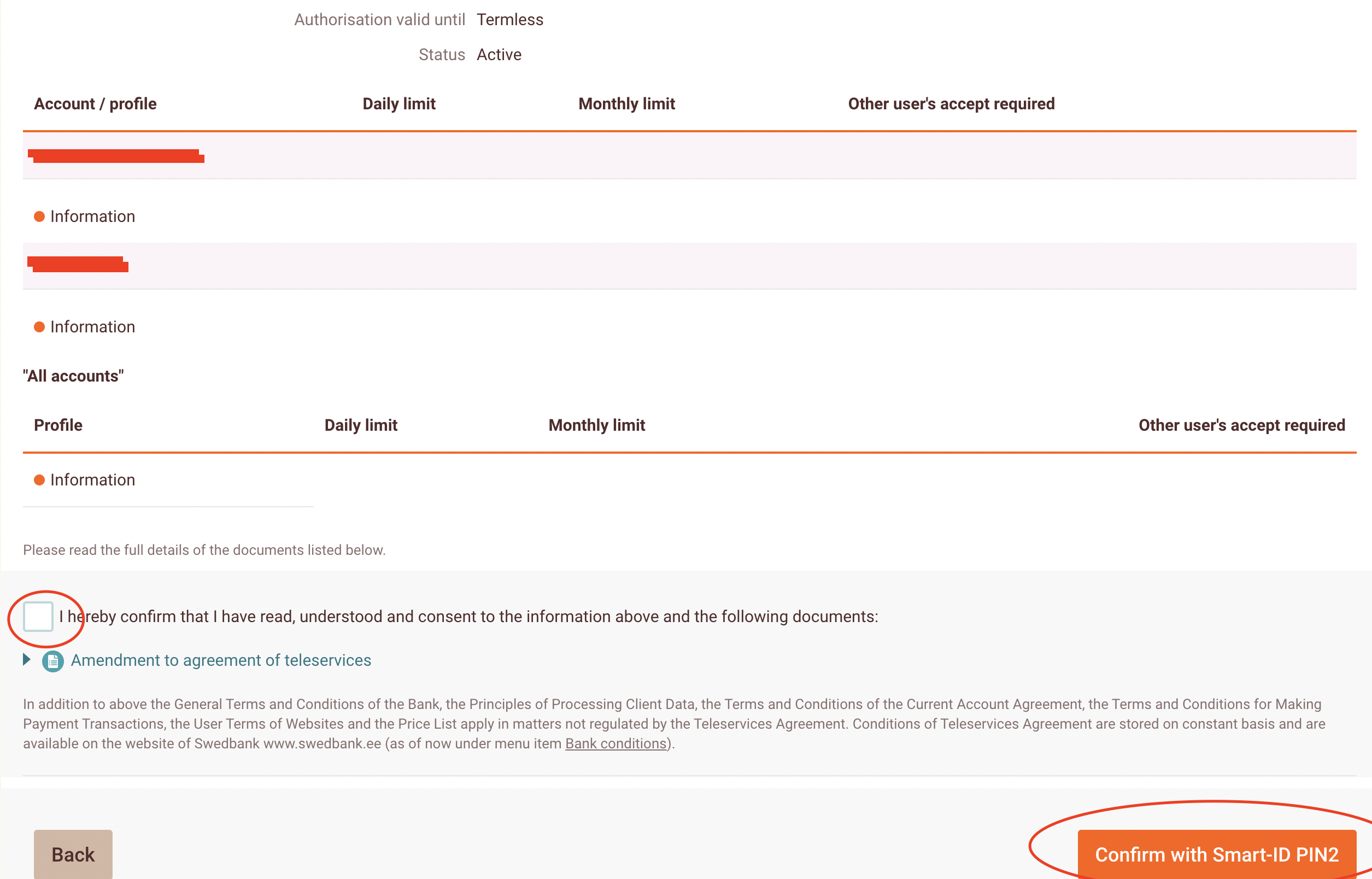
Screenshot 10 for the article "How do I grant an accountant access to view the bank statement in Swedbank?"