Amazon VAT Transactions Report

AccRes guide: Amazon VAT Transactions Report. Practical information in the Amazon help section for Estonian companies.

Step 1. Log in to your Amazon seller account.
Screenshot 1 for the article "Amazon VAT Transactions Report"

Step 2. Select Reports from the menu.

Screenshot 2 for the article "Amazon VAT Transactions Report"

Step 3. In the drop-down list, click on Fulfilment by Amazon.
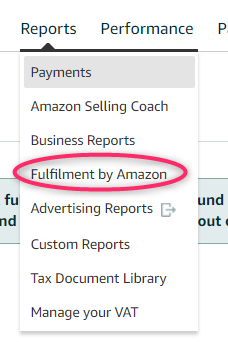
Screenshot 3 for the article "Amazon VAT Transactions Report"

Step 4. From the menu on the left, select Amazon VAT Transactions Report.
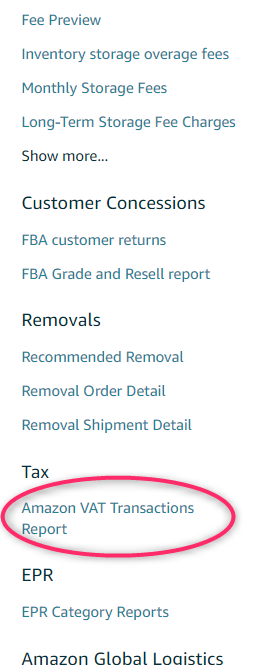
Screenshot 4 for the article "Amazon VAT Transactions Report"

Step 5. Select the desired period and click on the Request .csv Download button.
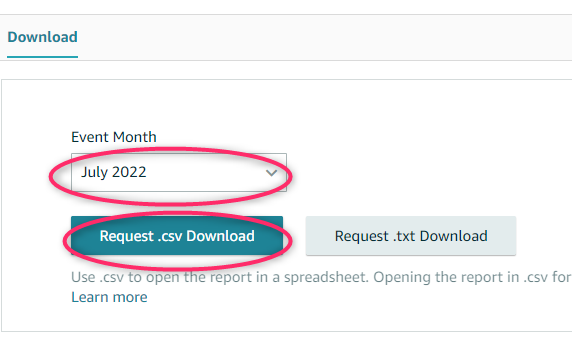
Screenshot 5 for the article "Amazon VAT Transactions Report"

Step 6. Upload this report to Nola Accounting along with the other documents from the previous month.